
Plan
Create the webinar, schedule sessions and prepare speakers.
Plan, brand, broadcast and moderate professional webinars from one integrated workspace, with dedicated tools for producers, moderators, speakers and participants.
Running a high-stakes webinar often means juggling separate tools for production, moderation, speaker support, audience access and follow-up. CenterStage brings those workflows together around the same event.
Keep production, moderation and participant workflows connected.
Reduce switching between systems, links and subscriptions.
Give producers, moderators and speakers dedicated tools during the live session.
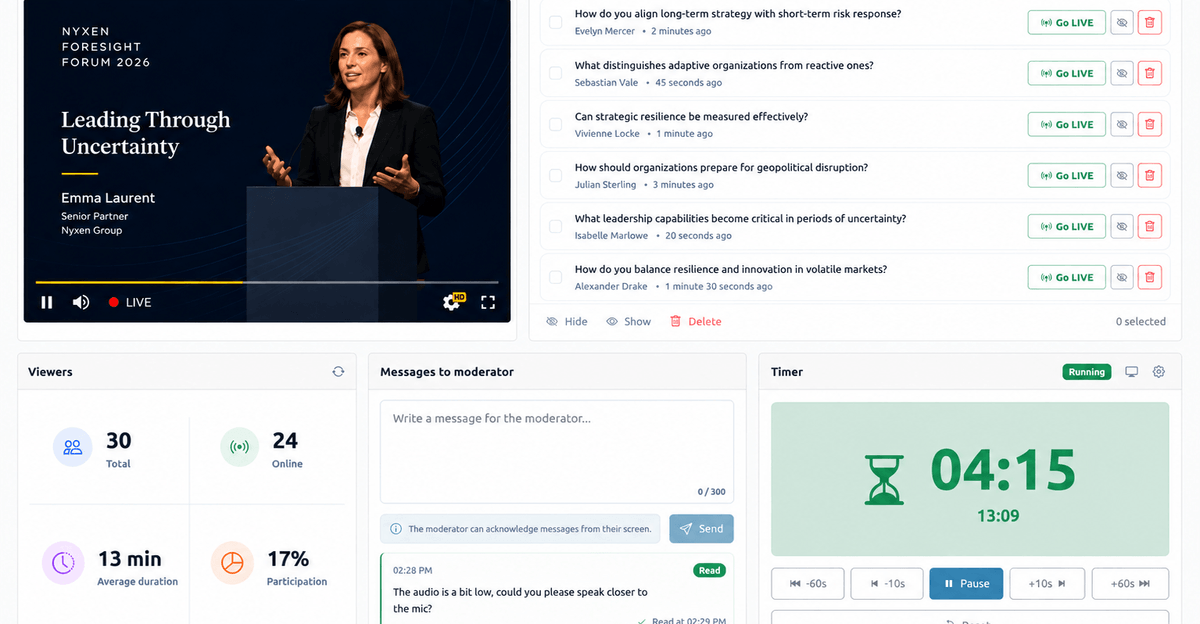
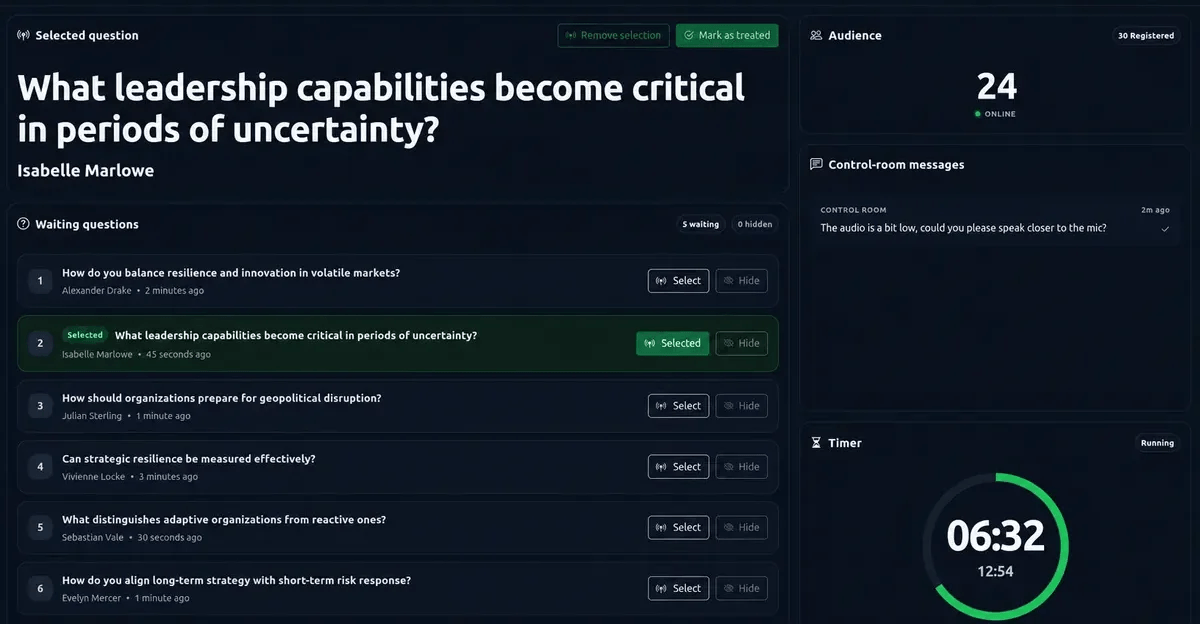
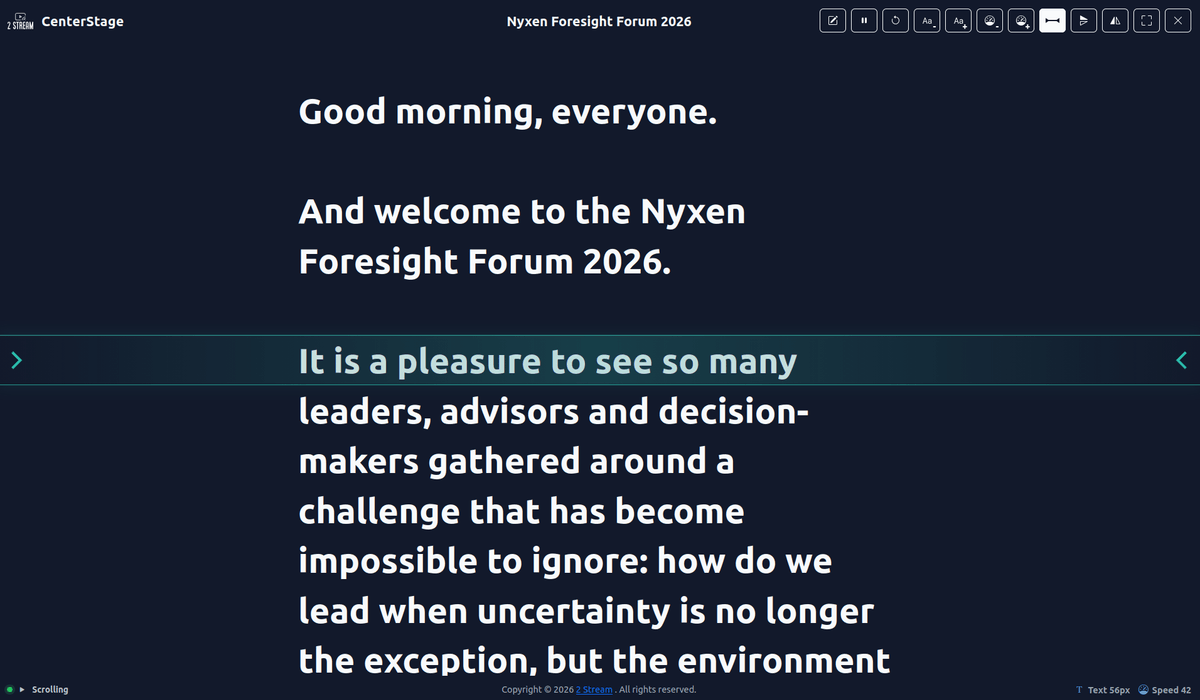
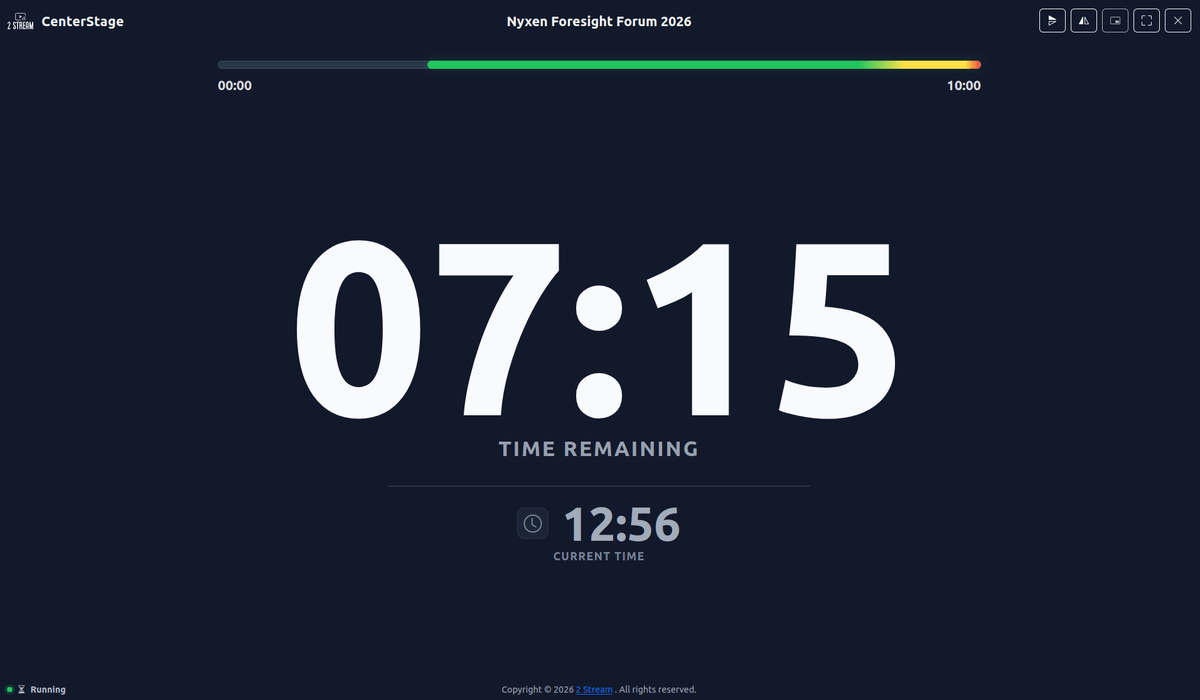
Prepare speakers, sessions, access, content and delivery from one place, then keep the same event context through the live session and on-demand experience.
Create the webinar, schedule sessions and prepare speakers.
Configure access, branding, landing content and event files.
Broadcast live or simulive, moderate questions and support speakers in real time.
Keep the event available on-demand and review viewer participation.
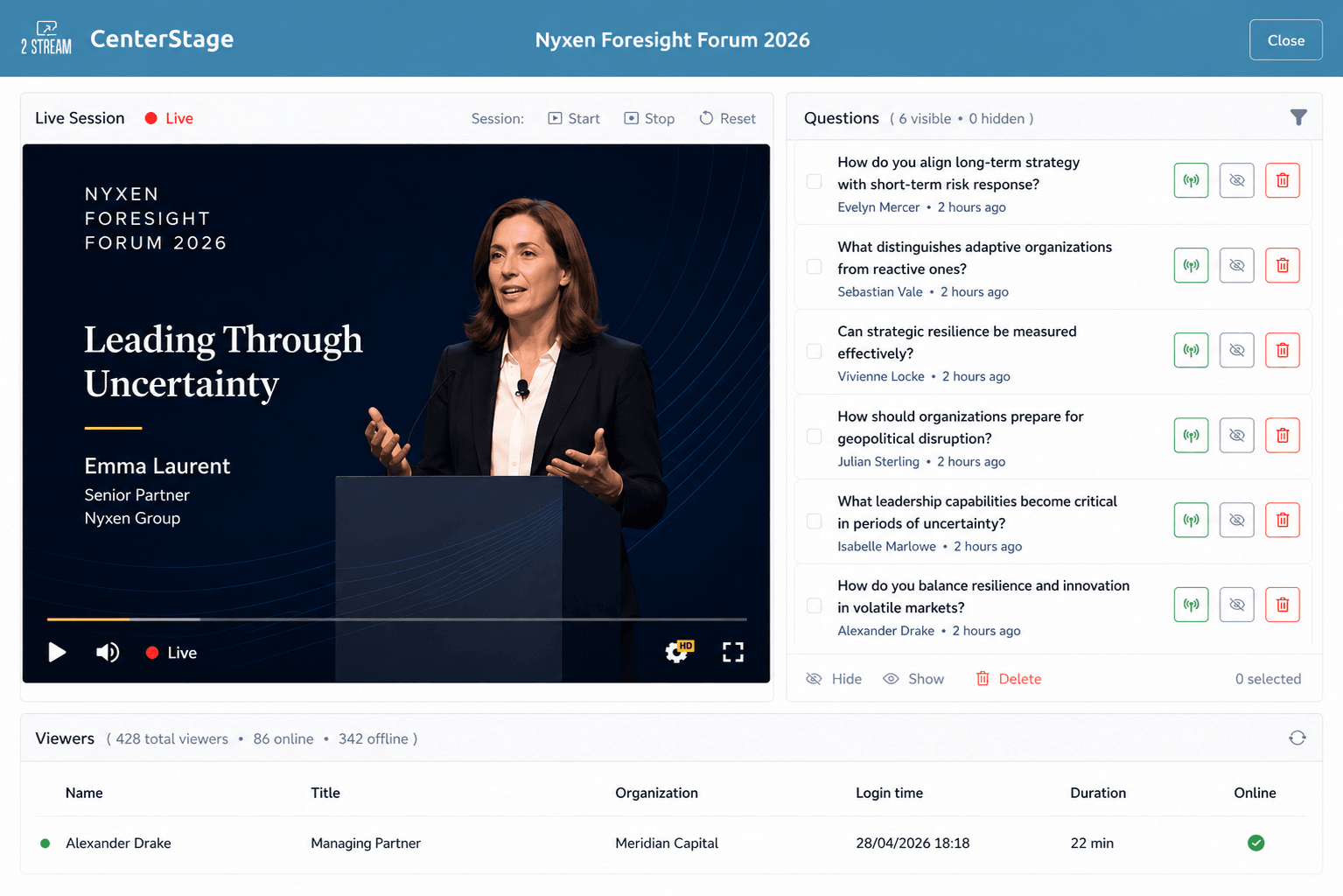
Keep production, moderation, audience activity and speaker timing visible while the webinar is running.
Start, stop and monitor the session from one operational dashboard.
Review audience questions and decide what should go live.
Use dedicated moderator messages, timing and speaker tools during the session.
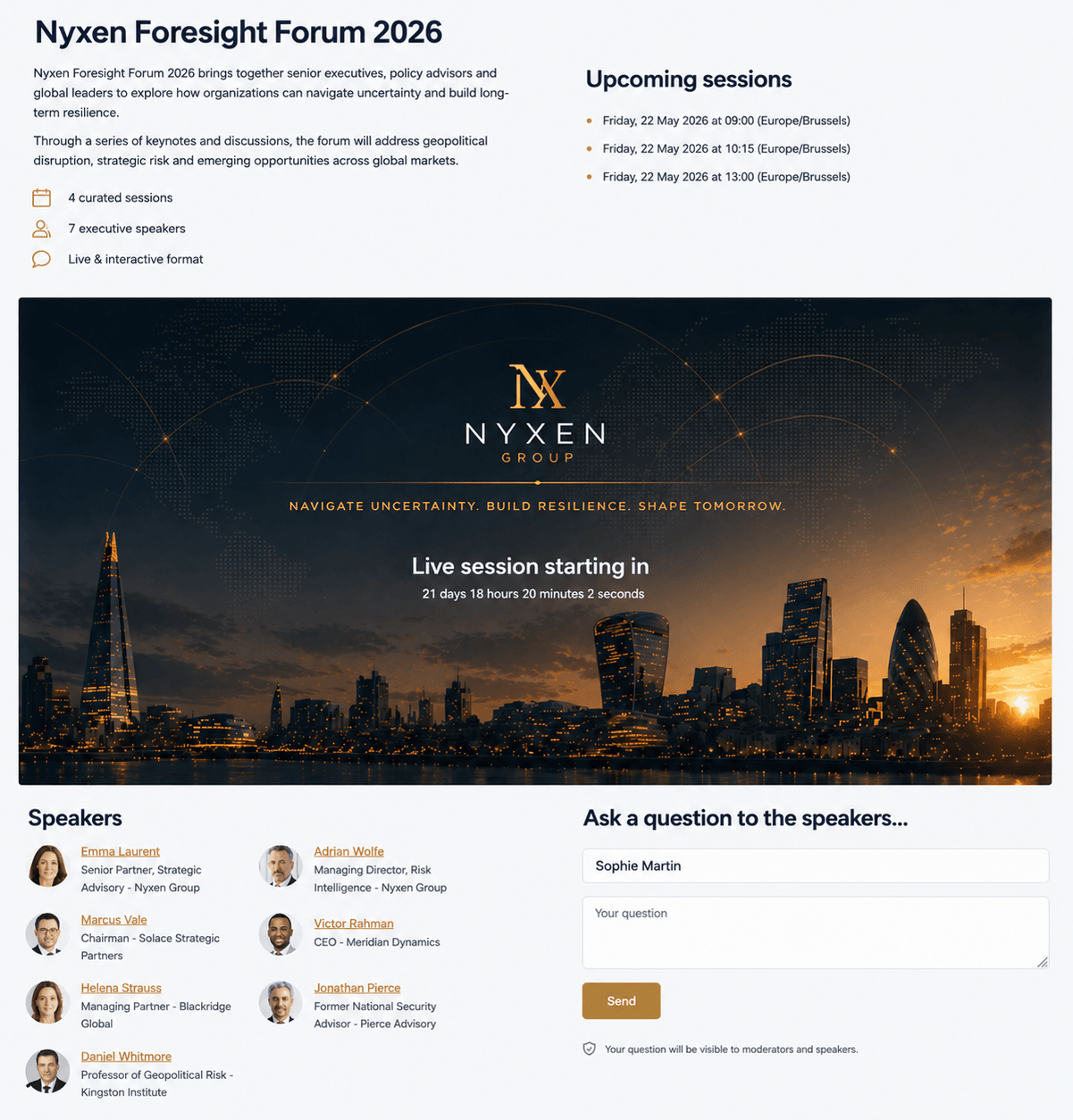
Bring together access, event content, speakers, live video, Q&A and downloads in one branded experience.
Present the webinar in an experience that reflects your organization.
Support public, password-protected, invitation-only or member access.
Let participants follow the session and submit questions from the same place.
Keep speakers, sessions and event files easy to find before, during and after the webinar.
CenterStage lets you run fully live webinars, schedule pre-recorded sessions as live experiences, or keep content available on-demand after the event.
Broadcast in real time with live moderation, audience questions and operational control.
Deliver a pre-recorded presentation at a scheduled time while keeping audience interaction live.
Keep webinar content available after the event so participants can watch when it suits them.
CenterStage brings production, moderation, speaker support, audience experience and delivery together so event teams can run important webinars with fewer handoffs and more control.
An enterprise webinar platform helps teams plan, deliver, moderate and manage professional webinars with the controls, workflows and audience experience needed for business-critical events.
CenterStage is built around the event workflow, with tools for event setup, audience access, moderation, live operations, speaker support and participant experience rather than only the video call itself.
Yes. CenterStage can schedule pre-recorded presentations as live experiences while keeping audience interaction and moderation available during the session.
Yes. CenterStage supports branded event pages and participant experiences that can reflect the identity of the organization or event.
Yes. Events can use public, password-protected, invitation-only or member access depending on the audience.
Yes. CenterStage includes dedicated moderator, prompter, timer and live operational views connected to the same event.
Tell us what you're planning and we'll show you how CenterStage can support your webinar workflow.